

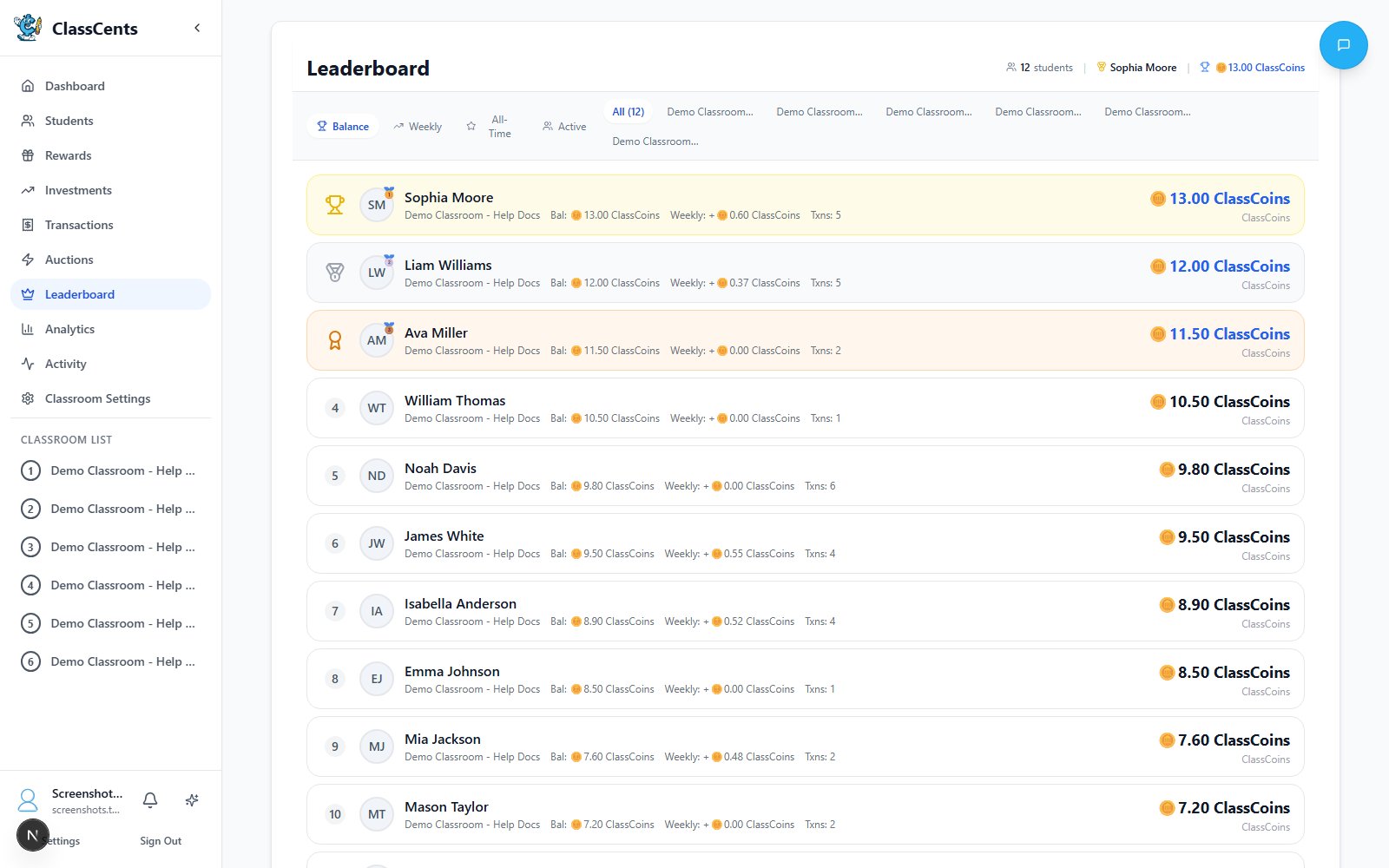
Filters
- Classroom selector — Choose a single classroom or All Classrooms.
- Tabs:
- Balance — Current spending balance (default)
- Weekly — Earned in the last 7 days
- All-Time — Lifetime earnings
- Active — Most transactions
What Each Row Shows
| Column | Description |
|---|---|
| Rank | Position based on the active tab |
| Avatar + Name | Student name (first + last when available) |
| Classroom | Useful when viewing All Classrooms |
| Value | Balance / weekly earned / total earned / transaction count, depending on tab |
Common Uses
Spotlight earners
Use the Weekly tab during Friday wrap-up to celebrate top earners that week.
Spot inactive students
Sort by Active ascending in your head — the bottom of the list shows students with few transactions, who may need encouragement.
Compare classrooms
All Classrooms view lets you compare across periods/sections you teach.
Avoid public shaming
Don’t project the leaderboard if it would single out struggling students. Use it as a private planning tool.