

Overview
Assign students paid jobs to teach responsibility and provide regular earning opportunities. Jobs help students develop leadership skills while assisting with classroom management.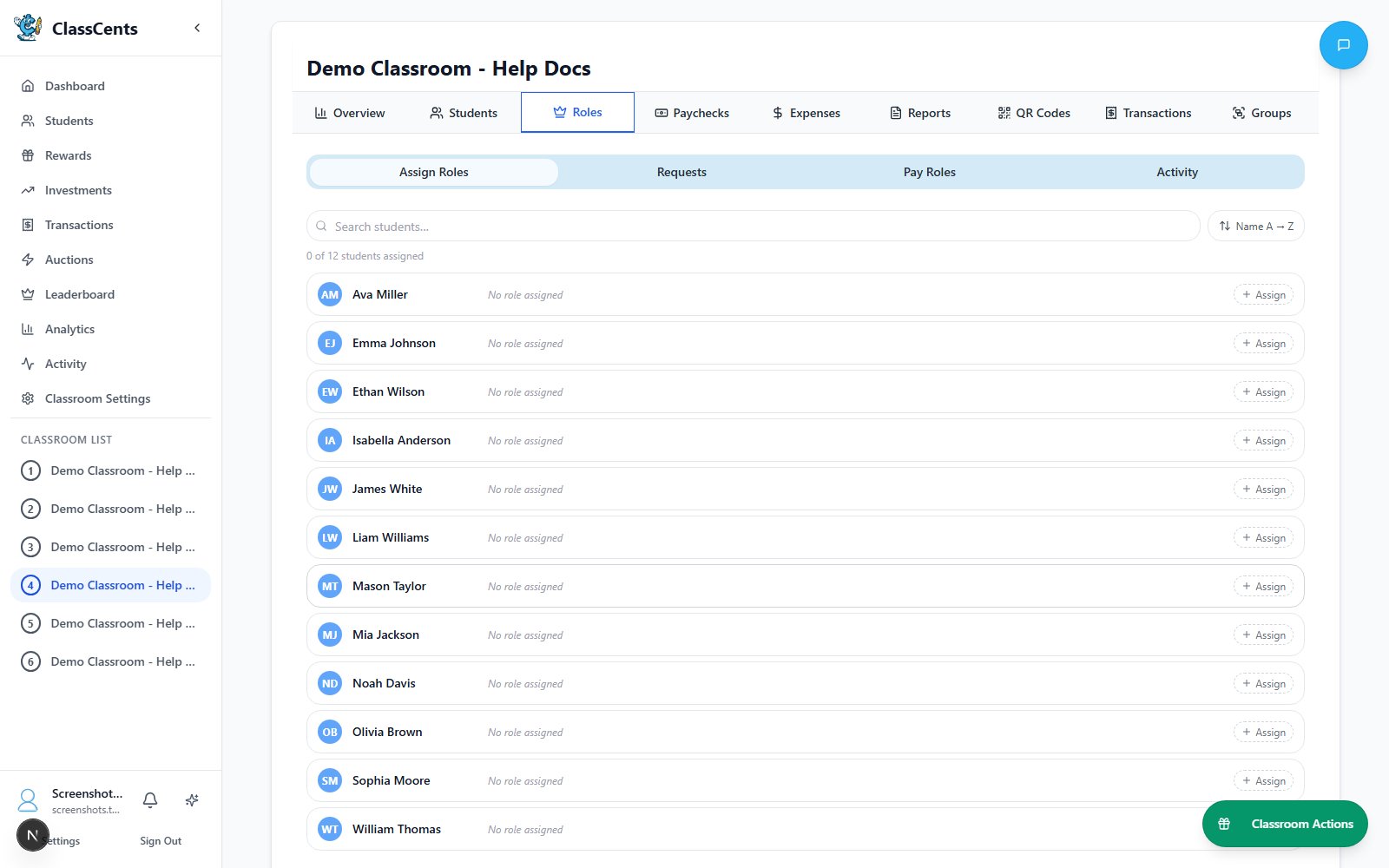
Jobs provide automatic recurring payments - set it up once and students earn regularly without manual transactions!
Creating Classroom Jobs
Configure Job Details
- Job Name: Clear job title (e.g., “Line Leader”, “Board Cleaner”)
- Description: What responsibilities are included
- Payment Amount: How much students earn
- Payment Frequency: Daily, Weekly, Bi-weekly, or Monthly
- Max Students: How many can have this job simultaneously
Payment Frequencies
- Daily
- Weekly
- Bi-weekly
- Monthly
Payment: Every day at configured timeBest for:
- Simple daily tasks (line leader, homework collector)
- Younger students who need frequent reinforcement
- High-responsibility positions
Assigning Students to Jobs
Job Applications (Optional)
Let students apply for jobs they want:Common Classroom Job Ideas
Leadership Jobs
- Line Leader
- Class President
- Group Captain
- Peer Mentor
- Safety Monitor
Academic Jobs
- Homework Collector
- Assignment Distributor
- Librarian
- Technology Manager
- Supplies Organizer
Classroom Maintenance
- Board Cleaner
- Desk Inspector
- Plant Waterer
- Pet Caretaker
- Recycling Manager
Special Positions
- Calendar Helper
- Attendance Tracker
- Temperature Monitor
- Door Holder
- Materials Manager
Job Rotation Strategy
Weekly Rotation
Weekly Rotation
Most Common: Change jobs every 1-2 weeks
- Gives all students opportunities
- Prevents boredom with same job
- Teaches adaptability
- Ensures fair distribution
Monthly Rotation
Monthly Rotation
For Older Students: Keep jobs for full month
- Deeper responsibility
- Builds expertise in job
- Larger payouts justify longer commitment
- More professional feel
Application-Based
Application-Based
Student Choice: Let students apply for jobs they want
- Increases engagement and ownership
- Students more committed to chosen jobs
- You review applications and assign
- Fair process that students trust
Rotation Tracking
Rotation Tracking
Ensure Fairness: Track who has had which jobs
- Maintain spreadsheet or use notes
- Prioritize students who haven’t had popular jobs
- Balance desirable vs less-desirable positions
- Communicate rotation plan clearly
Automatic Payments
Payments process at your configured schedule:Configure Payment Schedule
Set up your classroom’s payment timing in Settings → Classroom Settings → Payment Schedule
- Choose timezone
- Set time of day for each frequency
- Configure bi-weekly reference date if using
Automatic Processing
At the scheduled time, the system:
- Finds all students with active job assignments
- Checks if they’re due for payment (based on frequency)
- Creates transaction and awards currency
- Logs payment in transaction history
Payments are processed automatically by the system - you don’t need to do anything! Just assign the jobs and they get paid on schedule.
Performance Bonuses
Reward exceptional job performance:Award Bonus
Use manual transaction to award extra points with reason like “Excellent work as Line Leader this week - bonus!”
Job Management
Editing Jobs
- Update payment amounts as your economy evolves
- Change frequency if needed
- Adjust max students allowed
- Update descriptions
Removing Students from Jobs
Ending a job assignment doesn’t affect past payments - those remain in the student’s balance and transaction history.
Best Practices
Start with 5-10 job types - enough variety without being overwhelming
Pay fairly - similar effort = similar pay to maintain perceived fairness
Rotate regularly - all students get opportunities for popular jobs
Celebrate great work - publicly recognize students who excel in their jobs
Tie to real life - connect to real-world jobs and responsibility
Track job history - ensure equitable distribution over time
Troubleshooting
Payments Not Processing
Payments Not Processing
Check:
- Payment Schedule is configured (Settings → Classroom Settings → Payment Schedule)
- Students are actively assigned to jobs
- Current time matches scheduled payment time
- Bi-weekly frequency requires reference date setup
Student Not Getting Paid
Student Not Getting Paid
Check:
- Student is assigned to an active job
- Assignment start date is in the past
- Job frequency matches classroom schedule
- Student hasn’t been removed from job
Duplicate Payments
Duplicate Payments
If this happens:
- Check transaction history for actual duplicates
- Manual undo if necessary
- Report to support - may indicate timing issue
Related Topics
Payment Schedules
Configure when automated payments occur (NEW!)
Transaction History
View all job payment transactions