> ## Documentation Index
> Fetch the complete documentation index at: https://help.classcents.com/llms.txt
> Use this file to discover all available pages before exploring further.
# Leaderboard
> How students see class rankings
The student **Leaderboard** shows how each student ranks among their classmates.
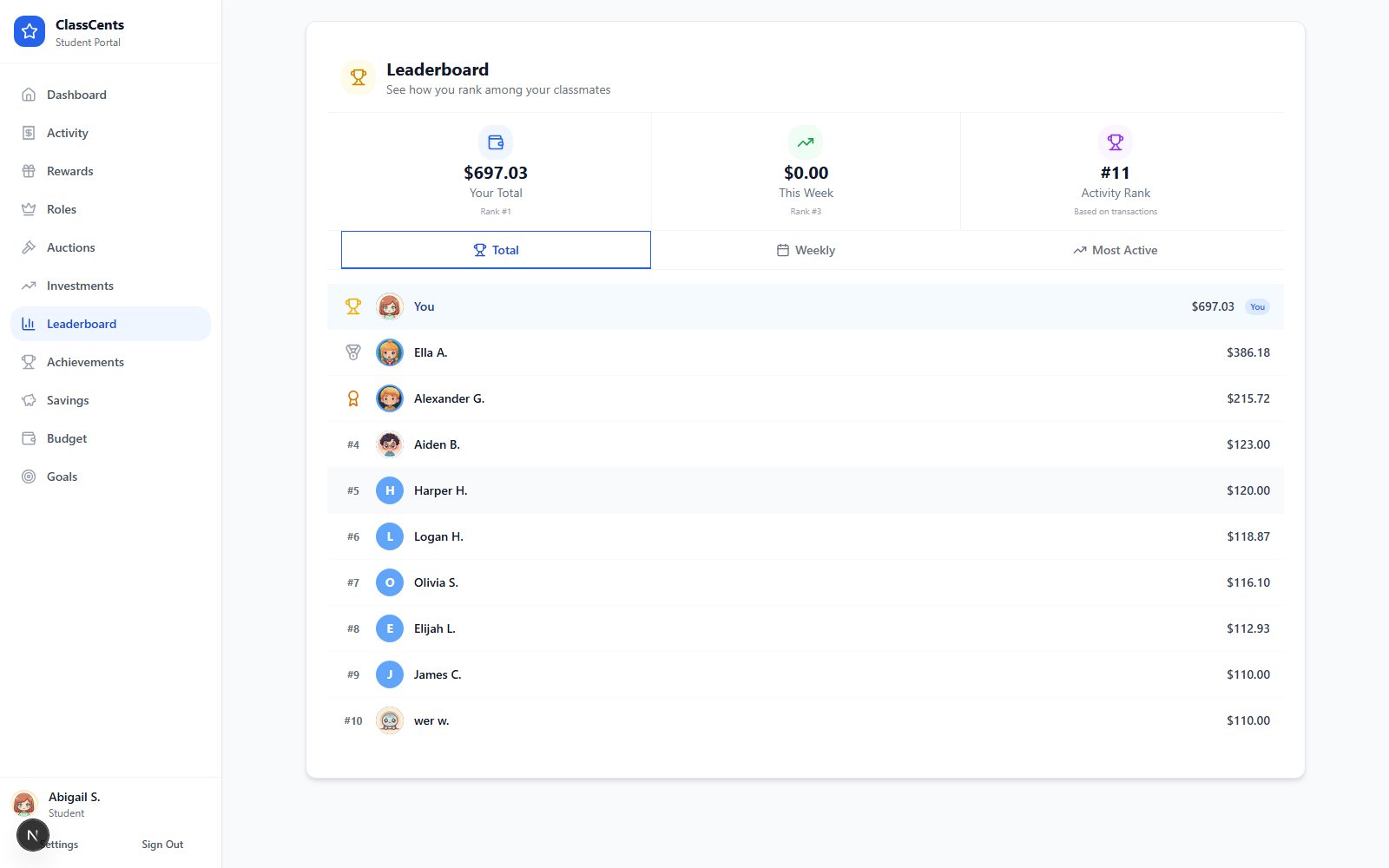 Open from the student dashboard nav: **Leaderboard**. URL: `/student/leaderboard/[nano_id]`.
## At-a-Glance Stats
The top of the page shows three stats for the student viewing it:
| Stat | What it means |
| ----------------- | -------------------------------------------------- |
| **Your Total** | Lifetime points/currency earned, plus rank |
| **This Week** | Points earned in the last 7 days, plus weekly rank |
| **Activity Rank** | Rank by transaction count |
## Tabs
Below the stats, three tabs reorder the leaderboard:
* **Total** — All-time earnings (default view)
* **Weekly** — Earnings from the last 7 days
* **Active** — Most active students by transaction count
The student's own row is highlighted no matter which tab is active, so they can always find themselves.
## Privacy & Tone
The leaderboard shows **first names** of all students in the classroom. If you'd rather not surface rankings publicly, consider hiding the Leaderboard link from the student nav by avoiding it during class — or skip showing the page on shared screens.
Want to see the full multi-classroom leaderboard? That's the **teacher** leaderboard at `/dashboard/leaderboard` — see [Class Leaderboard](/features/leaderboard).
Open from the student dashboard nav: **Leaderboard**. URL: `/student/leaderboard/[nano_id]`.
## At-a-Glance Stats
The top of the page shows three stats for the student viewing it:
| Stat | What it means |
| ----------------- | -------------------------------------------------- |
| **Your Total** | Lifetime points/currency earned, plus rank |
| **This Week** | Points earned in the last 7 days, plus weekly rank |
| **Activity Rank** | Rank by transaction count |
## Tabs
Below the stats, three tabs reorder the leaderboard:
* **Total** — All-time earnings (default view)
* **Weekly** — Earnings from the last 7 days
* **Active** — Most active students by transaction count
The student's own row is highlighted no matter which tab is active, so they can always find themselves.
## Privacy & Tone
The leaderboard shows **first names** of all students in the classroom. If you'd rather not surface rankings publicly, consider hiding the Leaderboard link from the student nav by avoiding it during class — or skip showing the page on shared screens.
Want to see the full multi-classroom leaderboard? That's the **teacher** leaderboard at `/dashboard/leaderboard` — see [Class Leaderboard](/features/leaderboard).