> ## Documentation Index
> Fetch the complete documentation index at: https://help.classcents.com/llms.txt
> Use this file to discover all available pages before exploring further.
# Class Leaderboard
> Teacher-side rankings across one or all classrooms
The teacher **Leaderboard** ranks every student across your classrooms by balance, weekly earnings, all-time earnings, or activity.
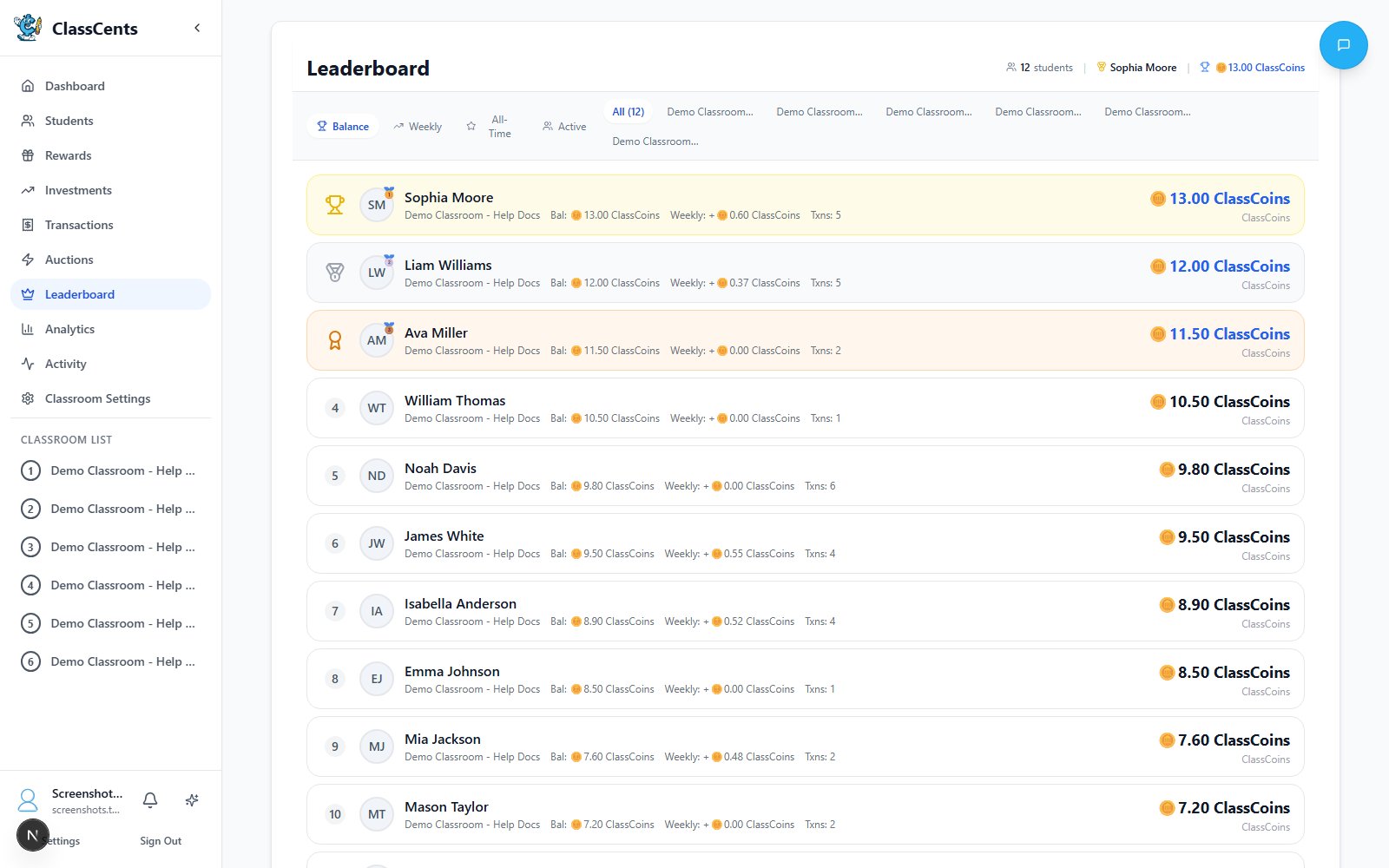 Open from the teacher nav: **Leaderboard**. URL: `/dashboard/leaderboard`.
## Filters
* **Classroom selector** — Choose a single classroom or **All Classrooms**.
* **Tabs**:
* **Balance** — Current spending balance (default)
* **Weekly** — Earned in the last 7 days
* **All-Time** — Lifetime earnings
* **Active** — Most transactions
## What Each Row Shows
| Column | Description |
| ------------- | ---------------------------------------------------------------------------- |
| Rank | Position based on the active tab |
| Avatar + Name | Student name (first + last when available) |
| Classroom | Useful when viewing **All Classrooms** |
| Value | Balance / weekly earned / total earned / transaction count, depending on tab |
## Common Uses
Use the **Weekly** tab during Friday wrap-up to celebrate top earners that week.
Sort by **Active** ascending in your head — the bottom of the list shows students with few transactions, who may need encouragement.
**All Classrooms** view lets you compare across periods/sections you teach.
Don't project the leaderboard if it would single out struggling students. Use it as a private planning tool.
Open from the teacher nav: **Leaderboard**. URL: `/dashboard/leaderboard`.
## Filters
* **Classroom selector** — Choose a single classroom or **All Classrooms**.
* **Tabs**:
* **Balance** — Current spending balance (default)
* **Weekly** — Earned in the last 7 days
* **All-Time** — Lifetime earnings
* **Active** — Most transactions
## What Each Row Shows
| Column | Description |
| ------------- | ---------------------------------------------------------------------------- |
| Rank | Position based on the active tab |
| Avatar + Name | Student name (first + last when available) |
| Classroom | Useful when viewing **All Classrooms** |
| Value | Balance / weekly earned / total earned / transaction count, depending on tab |
## Common Uses
Use the **Weekly** tab during Friday wrap-up to celebrate top earners that week.
Sort by **Active** ascending in your head — the bottom of the list shows students with few transactions, who may need encouragement.
**All Classrooms** view lets you compare across periods/sections you teach.
Don't project the leaderboard if it would single out struggling students. Use it as a private planning tool.