> ## Documentation Index
> Fetch the complete documentation index at: https://help.classcents.com/llms.txt
> Use this file to discover all available pages before exploring further.
# Job Management Dashboard
> Day-to-day workspace for assigning students to paid jobs and reviewing duties
The **Job Management** dashboard is the per-classroom workspace for assigning students to paid jobs, swapping people in and out, and reviewing duty checklists.
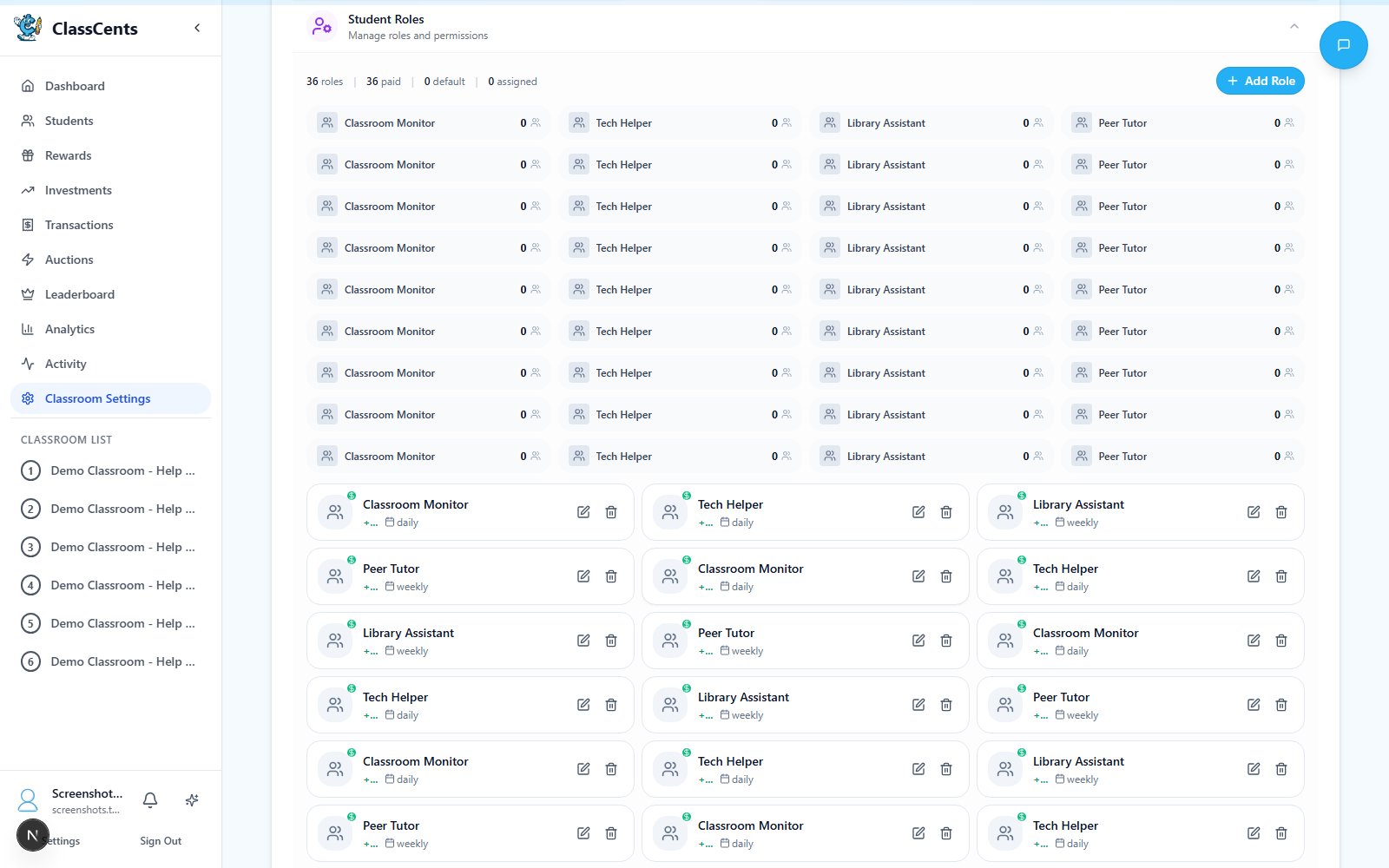 Open from a classroom: **Job Management** tab. URL: `/dashboard/classroom/[id]/role-management`.
## Job Management vs. Jobs Settings
These two pages are easy to confuse — here's the split:
| Page | Purpose |
| ------------------------------------------------ | ---------------------------------------------------------------------------------------------------------- |
| **Settings** → **Classroom Settings** → **Jobs** | **Define** jobs: title, icon, payout amount, frequency, duties/checklist. See [Paid Jobs](/advanced/jobs). |
| Classroom **Job Management** dashboard | **Assign** students to those defined jobs, see who currently holds what, and review duties. |
Only **paid jobs** (`is_paid = true`) appear on the Job Management dashboard. Unpaid jobs, if you've created any, are managed alongside paid ones in the Jobs settings page.
## What You'll See
* **Job cards** — One card per paid job you've defined, showing the icon, title, payout amount, and frequency (daily / weekly / bi-weekly / monthly).
* **Current assignments** — Which student currently holds the job, along with when they were assigned.
* **Duties / checklist** — The duty list and any checklist items you defined for the job.
## Common Workflows
On a job card, pick a student from the assignment dropdown. The student becomes eligible for that job's next scheduled payout.
Reassign to a different student, or remove the assignment to leave the job vacant. Vacant jobs do not pay out.
Use the duty list during class meetings so the student knows exactly what's expected of them.
## When Payouts Run
The job payout cron runs **hourly**. It pays only when the configured **Payment Schedule** day/time matches the current hour. See [Payment Schedules](/advanced/payment-schedules).
A job only pays out if (a) it's marked paid, (b) it has an active assignment, and (c) the classroom's payment schedule says today is a payout day. If a job isn't paying, check all three.
Open from a classroom: **Job Management** tab. URL: `/dashboard/classroom/[id]/role-management`.
## Job Management vs. Jobs Settings
These two pages are easy to confuse — here's the split:
| Page | Purpose |
| ------------------------------------------------ | ---------------------------------------------------------------------------------------------------------- |
| **Settings** → **Classroom Settings** → **Jobs** | **Define** jobs: title, icon, payout amount, frequency, duties/checklist. See [Paid Jobs](/advanced/jobs). |
| Classroom **Job Management** dashboard | **Assign** students to those defined jobs, see who currently holds what, and review duties. |
Only **paid jobs** (`is_paid = true`) appear on the Job Management dashboard. Unpaid jobs, if you've created any, are managed alongside paid ones in the Jobs settings page.
## What You'll See
* **Job cards** — One card per paid job you've defined, showing the icon, title, payout amount, and frequency (daily / weekly / bi-weekly / monthly).
* **Current assignments** — Which student currently holds the job, along with when they were assigned.
* **Duties / checklist** — The duty list and any checklist items you defined for the job.
## Common Workflows
On a job card, pick a student from the assignment dropdown. The student becomes eligible for that job's next scheduled payout.
Reassign to a different student, or remove the assignment to leave the job vacant. Vacant jobs do not pay out.
Use the duty list during class meetings so the student knows exactly what's expected of them.
## When Payouts Run
The job payout cron runs **hourly**. It pays only when the configured **Payment Schedule** day/time matches the current hour. See [Payment Schedules](/advanced/payment-schedules).
A job only pays out if (a) it's marked paid, (b) it has an active assignment, and (c) the classroom's payment schedule says today is a payout day. If a job isn't paying, check all three.