> ## Documentation Index
> Fetch the complete documentation index at: https://help.classcents.com/llms.txt
> Use this file to discover all available pages before exploring further.
# Classroom Auctions
> Host exciting competitive auctions for high-value rewards
## Auction System Overview
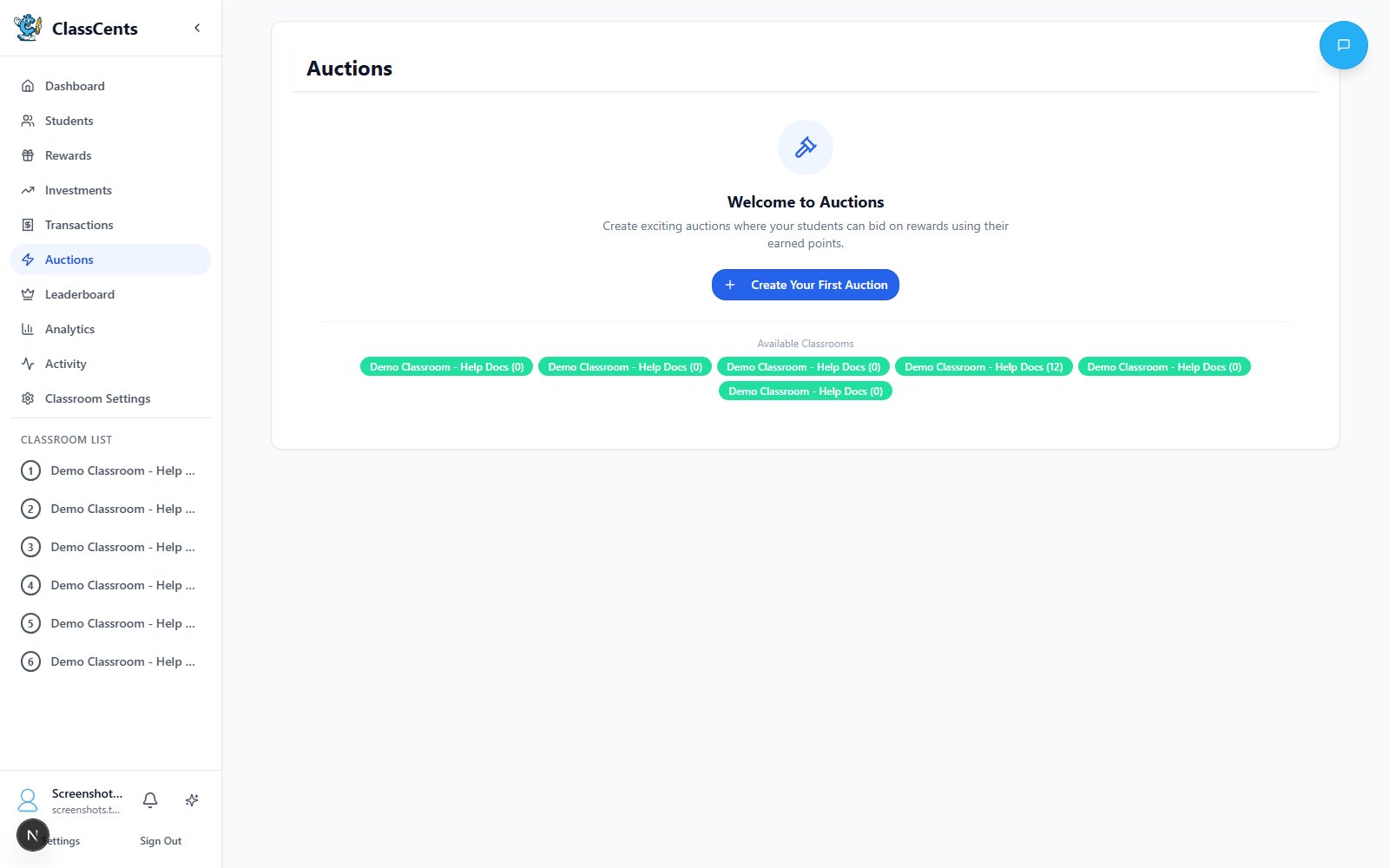
Create excitement with competitive bidding! Auctions allow students to compete for special rewards using their saved currency, teaching them about budgeting, strategy, and market economics.
 Auctions are perfect for limited-quantity items or high-value rewards that would be unfair to sell at fixed prices.
## Creating an Auction
From your teacher dashboard, click **Auctions** in the sidebar, then click **Create Auction**. The auction builder is a 4-step wizard:
* **Title** (required)
* **Description** (optional)
* **Minimum Bid** — the lowest amount any item can open at
* **Bid Increment** — how much higher each new bid must be than the current high bid
Select one or more of your classrooms to participate. Students from every selected classroom bid against each other on the same items.
Set the **Start Time** and **End Time**. Toggle **All Day** to use full-day boundaries instead of specific clock times.
Add one or more items to the auction. For each item:
* **Title** (required)
* **Description**
* **Image URL** (optional)
* **Estimated Value** — shown to students as a reference price
* **Starting Bid** — the opening bid for this specific item (must be ≥ the auction's Minimum Bid)
You can also link an item to an existing Global Reward so the winner automatically receives it.
A single auction can contain multiple items. Each item runs its own bidding race — a student can win one item even if they're outbid on another.
## Auction Timing
**Best for**: Daily excitement events
Example: "Lunch selection auction - 30 minutes during morning work"
* High energy and engagement
* Students must decide quickly
* Good for low-stakes items
**Best for**: Standard weekly auctions
Example: "Friday Auction - bidding open 8 AM to 3 PM"
* All students can participate regardless of schedule
* Time to strategize and save
* Most common format
**Best for**: High-value premium items
Example: "Pizza Party Auction - Monday through Friday"
* Builds anticipation all week
* Students save and plan carefully
* Creates major classroom event
## Bidding Process
### How Students Bid
Students open the **Auctions** tab in their dashboard and see every auction their classroom is participating in.
Each item shows the current high bid and the minimum next bid (current bid + bid increment).
The student enters an amount that is at least the minimum next bid. The amount is reserved against their balance — they can't spend it elsewhere while it's holding.
If another student outbids them, their reserved amount is released back to their balance and they can choose to bid again.
When the end time passes, the highest bidder on each item wins. Their bid amount is deducted and a transaction is logged.
Each student can keep bidding higher — only their current top bid counts and is reserved.
### Bid Rules
**Bids must be at least Current Bid + Bid Increment** — no tie bids allowed
**Students must have enough available balance** — reserved bids count against their available currency
**Bidder identity is hidden from other students** — reduces social pressure
## Auction Item Ideas
* Teacher's chair for a week
* First in line for a month
* Homework pass (premium version)
* Technology device choice
* Special parking spot (older students)
* Pizza lunch with teacher
* Class party planning role
* Field trip buddy selection
* Show and tell extended time
* Special presentation to class
* Premium toy or book
* Sports equipment
* Art supplies kit
* Gift card (higher grades)
* Special snack/treat
* Group free time
* Class game selection
* Extra recess for winners' table
* Group project topic choice
## Setting Reserve Prices
Start bids strategically to ensure fairness:
**When to use**: Weekly standard auctions
Gives all students a chance while still requiring saving. Creates good participation.
**When to use**: Premium weekly items
Excludes impulsive spenders, rewards savers. Most competitive bidding at this level.
**When to use**: End-of-month or quarterly mega auctions
Only serious savers compete. Creates aspirational goals for entire class.
## Multiple Item Auctions
Run several auctions simultaneously to increase participation:
Run auctions at different reserve prices:
* Low (\$50) - accessible to most
* Medium (\$200) - for steady savers
* High (\$500) - for top savers
Mix privileges, physical items, and experiences so different students are interested in different auctions
Consider ending auctions at different times so students can reallocate funds if they lose one auction
Running 3-5 simultaneous auctions means more students win something, keeping engagement high!
## Auction Management
### During the Auction
From the **Auctions** dashboard you can:
* Watch each item's current bid update in real time
* See who's bidding and how many bids each item has received
* **Cancel** an auction at any time — this refunds every reserved bid back to the bidders
* Place a teacher bid on behalf of a student if needed
### After the Auction
When the end time passes, click **Finalize** to lock in winners. The system deducts the winning bid from each winner and logs a transaction.
If the item is linked to a Global Reward, it shows up as a redemption to fulfill. Otherwise, hand off the item or privilege manually.
Share the winners with the class to build excitement for the next auction.
## Best Practices
Establish consistent schedule:
* "Freedom Friday" auctions every week
* Same time, expected by students
* Builds anticipation and planning behavior
* Students save all week for specific items
Help students understand smart bidding:
* Don't blow entire balance on one item
* Save some currency for backup
* Bid strategically at the end
* Know when to walk away
Don't make everything auction-only:
* Keep shop available for guaranteed purchases
* Auctions for special items only
* Balance risk/reward for students
Celebrate auction winners:
* Creates social recognition
* Motivates others to save for next time
* Builds classroom culture around economics
## Common Issues
**Causes**:
* Reserve price too high
* Item not desirable
* Students don't have enough currency
**Solutions**:
* Lower starting bid
* Survey students for wanted items
* Increase earning opportunities before auction
**Causes**:
* One student has much more currency
* Other students not saving
**Solutions**:
* Run multiple simultaneous auctions
* Create "first-time winner priority" auctions occasionally
* Teach all students saving strategies
**Solution**:
* Frame as learning opportunity
* Encourage saving for next auction
* Ensure shop has consolation prizes
* Remind that everyone can win eventually
## Related Topics
Set up items available for auction
Understand earning and spending mechanics
Auctions are perfect for limited-quantity items or high-value rewards that would be unfair to sell at fixed prices.
## Creating an Auction
From your teacher dashboard, click **Auctions** in the sidebar, then click **Create Auction**. The auction builder is a 4-step wizard:
* **Title** (required)
* **Description** (optional)
* **Minimum Bid** — the lowest amount any item can open at
* **Bid Increment** — how much higher each new bid must be than the current high bid
Select one or more of your classrooms to participate. Students from every selected classroom bid against each other on the same items.
Set the **Start Time** and **End Time**. Toggle **All Day** to use full-day boundaries instead of specific clock times.
Add one or more items to the auction. For each item:
* **Title** (required)
* **Description**
* **Image URL** (optional)
* **Estimated Value** — shown to students as a reference price
* **Starting Bid** — the opening bid for this specific item (must be ≥ the auction's Minimum Bid)
You can also link an item to an existing Global Reward so the winner automatically receives it.
A single auction can contain multiple items. Each item runs its own bidding race — a student can win one item even if they're outbid on another.
## Auction Timing
**Best for**: Daily excitement events
Example: "Lunch selection auction - 30 minutes during morning work"
* High energy and engagement
* Students must decide quickly
* Good for low-stakes items
**Best for**: Standard weekly auctions
Example: "Friday Auction - bidding open 8 AM to 3 PM"
* All students can participate regardless of schedule
* Time to strategize and save
* Most common format
**Best for**: High-value premium items
Example: "Pizza Party Auction - Monday through Friday"
* Builds anticipation all week
* Students save and plan carefully
* Creates major classroom event
## Bidding Process
### How Students Bid
Students open the **Auctions** tab in their dashboard and see every auction their classroom is participating in.
Each item shows the current high bid and the minimum next bid (current bid + bid increment).
The student enters an amount that is at least the minimum next bid. The amount is reserved against their balance — they can't spend it elsewhere while it's holding.
If another student outbids them, their reserved amount is released back to their balance and they can choose to bid again.
When the end time passes, the highest bidder on each item wins. Their bid amount is deducted and a transaction is logged.
Each student can keep bidding higher — only their current top bid counts and is reserved.
### Bid Rules
**Bids must be at least Current Bid + Bid Increment** — no tie bids allowed
**Students must have enough available balance** — reserved bids count against their available currency
**Bidder identity is hidden from other students** — reduces social pressure
## Auction Item Ideas
* Teacher's chair for a week
* First in line for a month
* Homework pass (premium version)
* Technology device choice
* Special parking spot (older students)
* Pizza lunch with teacher
* Class party planning role
* Field trip buddy selection
* Show and tell extended time
* Special presentation to class
* Premium toy or book
* Sports equipment
* Art supplies kit
* Gift card (higher grades)
* Special snack/treat
* Group free time
* Class game selection
* Extra recess for winners' table
* Group project topic choice
## Setting Reserve Prices
Start bids strategically to ensure fairness:
**When to use**: Weekly standard auctions
Gives all students a chance while still requiring saving. Creates good participation.
**When to use**: Premium weekly items
Excludes impulsive spenders, rewards savers. Most competitive bidding at this level.
**When to use**: End-of-month or quarterly mega auctions
Only serious savers compete. Creates aspirational goals for entire class.
## Multiple Item Auctions
Run several auctions simultaneously to increase participation:
Run auctions at different reserve prices:
* Low (\$50) - accessible to most
* Medium (\$200) - for steady savers
* High (\$500) - for top savers
Mix privileges, physical items, and experiences so different students are interested in different auctions
Consider ending auctions at different times so students can reallocate funds if they lose one auction
Running 3-5 simultaneous auctions means more students win something, keeping engagement high!
## Auction Management
### During the Auction
From the **Auctions** dashboard you can:
* Watch each item's current bid update in real time
* See who's bidding and how many bids each item has received
* **Cancel** an auction at any time — this refunds every reserved bid back to the bidders
* Place a teacher bid on behalf of a student if needed
### After the Auction
When the end time passes, click **Finalize** to lock in winners. The system deducts the winning bid from each winner and logs a transaction.
If the item is linked to a Global Reward, it shows up as a redemption to fulfill. Otherwise, hand off the item or privilege manually.
Share the winners with the class to build excitement for the next auction.
## Best Practices
Establish consistent schedule:
* "Freedom Friday" auctions every week
* Same time, expected by students
* Builds anticipation and planning behavior
* Students save all week for specific items
Help students understand smart bidding:
* Don't blow entire balance on one item
* Save some currency for backup
* Bid strategically at the end
* Know when to walk away
Don't make everything auction-only:
* Keep shop available for guaranteed purchases
* Auctions for special items only
* Balance risk/reward for students
Celebrate auction winners:
* Creates social recognition
* Motivates others to save for next time
* Builds classroom culture around economics
## Common Issues
**Causes**:
* Reserve price too high
* Item not desirable
* Students don't have enough currency
**Solutions**:
* Lower starting bid
* Survey students for wanted items
* Increase earning opportunities before auction
**Causes**:
* One student has much more currency
* Other students not saving
**Solutions**:
* Run multiple simultaneous auctions
* Create "first-time winner priority" auctions occasionally
* Teach all students saving strategies
**Solution**:
* Frame as learning opportunity
* Encourage saving for next auction
* Ensure shop has consolation prizes
* Remind that everyone can win eventually
## Related Topics
Set up items available for auction
Understand earning and spending mechanics